
What is ScarletCloud and How it Works?
ScarletCloud is a service that lets you install apps on your iPhone or iPad using your computer (whether it’s running Linux, Mac, or Windows) and a valid Apple ID login. This method doesn’t require jailbreaking your device.
Here’s more information about ScarletCloud:
How ScarletCloud works (Installation Process)
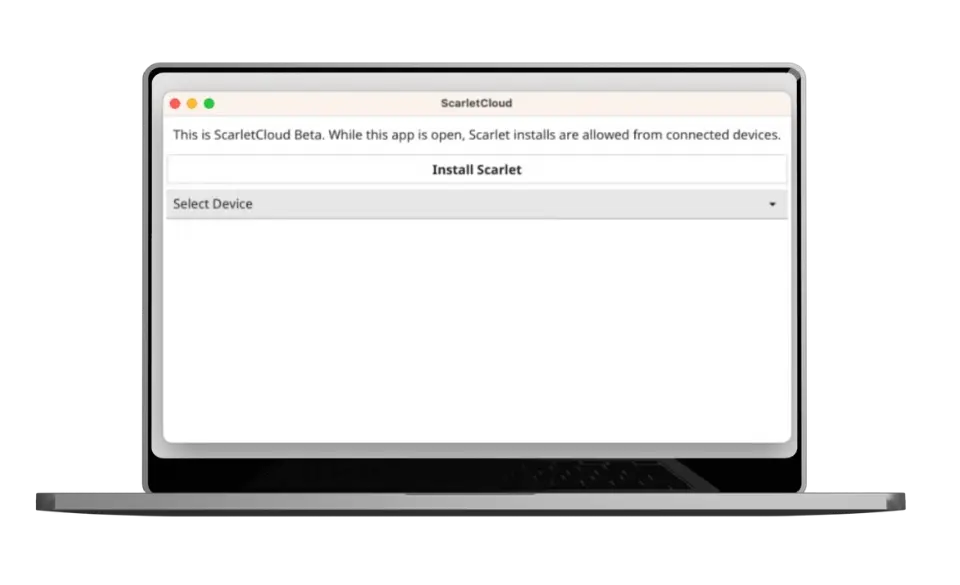
ScarletCloud works by connecting your device to your computer and using your Apple ID to install apps directly onto your device. This is done without needing to go through the App Store.
Benefits ScarletCloud:
Using ScarletCloud offers several advantages:
No Jailbreaking Needed: You can customize your device and install apps without jailbreaking, which can be risky and void warranties.
App Management: ScarletCloud allows you to manage and install apps easily from your computer, giving you more control over what you have on your device.
Compatibility: It works with various operating systems (Linux, Mac, Windows), making it accessible to a wide range of users.
Security: ScarletCloud uses your Apple ID credentials securely to install apps, ensuring privacy and safety.
Flexibility: You can install apps that are not available on the App Store or customize existing apps without modifying system settings.
Additional Features of ScarletCloud:
Multi-Device Support:
ScarletCloud allows you to use multiple devices with a single Apple account simultaneously. This means you can install and manage apps across different iPhones or iPads linked to the same account.
No 10 App ID Limit:
Unlike some other methods, ScarletCloud doesn’t have a strict limit of 10 App IDs per week. You can install as many apps as you want within a week, but you can only have up to three active apps at a time on your device.
Innovative Functionality:
ScarletCloud employs unique techniques that haven’t been used before in similar services. It doesn’t rely on Apple’s corecrypto or other standard frameworks. The way ScarletCloud handles the generation of anisette (a type of security token) is optimized for performance.
No Revocations (Unless Necessary):
Apps installed through ScarletCloud are less likely to be revoked compared to other methods. Revocations only occur when absolutely necessary. If ScarletCloud can’t retrieve a valid certificate, or if there’s a mismatch with Apple accounts, the device will generate its own certificate to maintain functionality.
Specific Restrictions for ScarletCloud
Here are the specific restrictions that apply to free/normal Apple accounts when using ScarletCloud:
3 App Limit:
iOS imposes a restriction that limits the number of active apps that can be installed using a normal Apple account to three apps, including the Scarlet app itself. This means you can have up to two additional apps installed alongside Scarlet on your device.
App Expiration:
Apps installed through ScarletCloud will expire after 7 days from their registration date. You can check the expiration date within the Scarlet app by clicking on the icon of the app you want to view. Additionally, there’s a refresh button to extend the expiration back to 7 days.
This expiration restriction is enforced by the mobile provision files required for app installations. These files are signed by Apple with associated certificates, making the expiration date non-negotiable or modifiable.
Anisette and Error Handling:
Anisette is a cryptographic protocol used by Apple for various authentication processes related to user account logins. ScarletCloud utilizes an Anisette server along with specific techniques to address the -36607 error, which is commonly encountered during login attempts.
Note:
The exact details of how Anisette is generated and managed are proprietary to Apple and not fully disclosed to the public.

![Scarlet iOS is Unable to Verify Apps [Troubleshooting Guide]](https://scarlet-ios.net/wp-content/uploads/2024/11/Add-a-heading-5-768x432.webp)