
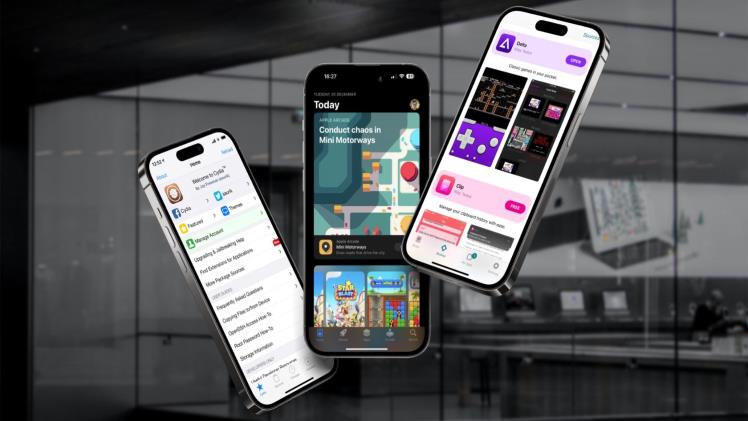
How to Sideload Entertainment Apps on iOS Without Jailbreaking
Sideloading has become the go-to method for iOS users who want more flexibility with the apps they install. Whether you’re trying out developer tools, accessing apps no longer available on the App Store, or diving into rich entertainment experiences, sideloading offers a jailbreak-free path to get the most out of your device. One fast-growing category? Entertainment apps, especially those that offer immersive, game-style experiences.
Many iOS users looking for casual gaming options turn to High Roller — a social casino platform known for its variety of visually engaging, slot-style games — as an example of the kinds of apps commonly accessed outside of the App Store.
Here’s how to sideload apps like these without ever touching a jailbreak.
What Is Sideloading on iOS?
Sideloading is the process of installing apps on your iOS device without using the App Store. Instead, you download the app’s IPA file (the iOS application archive) and install it manually using third-party tools or provisioning profiles.
Unlike jailbreaking, which modifies the core system files of your device, sideloading works within Apple’s security boundaries. It uses legitimate developer tools like Apple’s Xcode or
certificate-based IPA installers, such as Scarlet, AltStore, or Sideloadly.
Why Sideload Entertainment Apps?
There are several reasons why users sideload entertainment-focused apps:
- Access to niche apps not available on the App Store
- Frequent updates or tweaks not pushed through official channels
- Visual and interactive gaming experiences without spending
- Region-locked or platform-specific games unavailable in your country
Platforms like High Roller offer social gaming options that prioritize visual rewards, progression systems, and player experience. Many iOS users prefer sideloading such apps to enjoy them on their own terms.
Tools You’ll Need to Sideload Apps on iOS
Before you start sideloading, it’s essential to gather the right tools. Here’s what you’ll need:
✅ A Compatible iOS Device
Most sideloading methods work best on devices running iOS 14 or later. Some methods support earlier versions, but newer tools like Scarlet work best on recent firmware.
✅ An IPA File
This is the app you want to install. Make sure it’s from a trusted source. Never download IPA files from suspicious or unverified websites.
✅ An IPA Installer
These tools make sideloading easy:
- Scarlet App: Known for its sleek design and certificate-based signing system
- AltStore: Uses your Apple ID to install apps and refresh them every 7 days
- Sideloadly: A Windows and macOS-compatible installer that works with your Apple ID
Each tool has its own setup process, but they all achieve the same goal — letting you install apps safely without jailbreaking.
Step-by-Step Guide to Sideloading Entertainment Apps
Here’s a general outline using Scarlet:
-
Download the Scarlet Installer
Visit the Scarlet iOS website on your device and install the profile as directed. Make sure to allow permissions.
-
Trust the Certificate
Go to Settings > General > VPN & Device Management, find the Scarlet certificate, and trust it.
-
Open Scarlet and Import Your IPA
Launch Scarlet, select the IPA file (for example, one offering an immersive social gaming experience like High Roller), and start the install.
-
Launch and Enjoy
Once installed, the app will appear on your home screen. Tap and play — no jailbreak required.
Is Sideloading Safe?
When done properly, sideloading is generally safe. The key is using verified tools and avoiding suspicious sources. Always download IPA files from developers or platforms you trust, and avoid entering personal credentials unless required by Apple’s own security prompts.
According to a recent analysis by Cornell Tech, sideloading can be secure when users stick to well-established tools and avoid tampered applications.
Final Thoughts on App Freedom
With tools like Scarlet, iOS users no longer need to jailbreak their devices to explore a wider world of apps. Whether it’s a productivity tool, a utility, or a visually rich gaming experience like High Roller, sideloading opens up options that Apple’s App Store doesn’t always provide.
By following safe practices and using trusted tools, sideloading entertainment apps can be a secure and rewarding experience — all without voiding your device’s warranty or compromising its integrity.


